

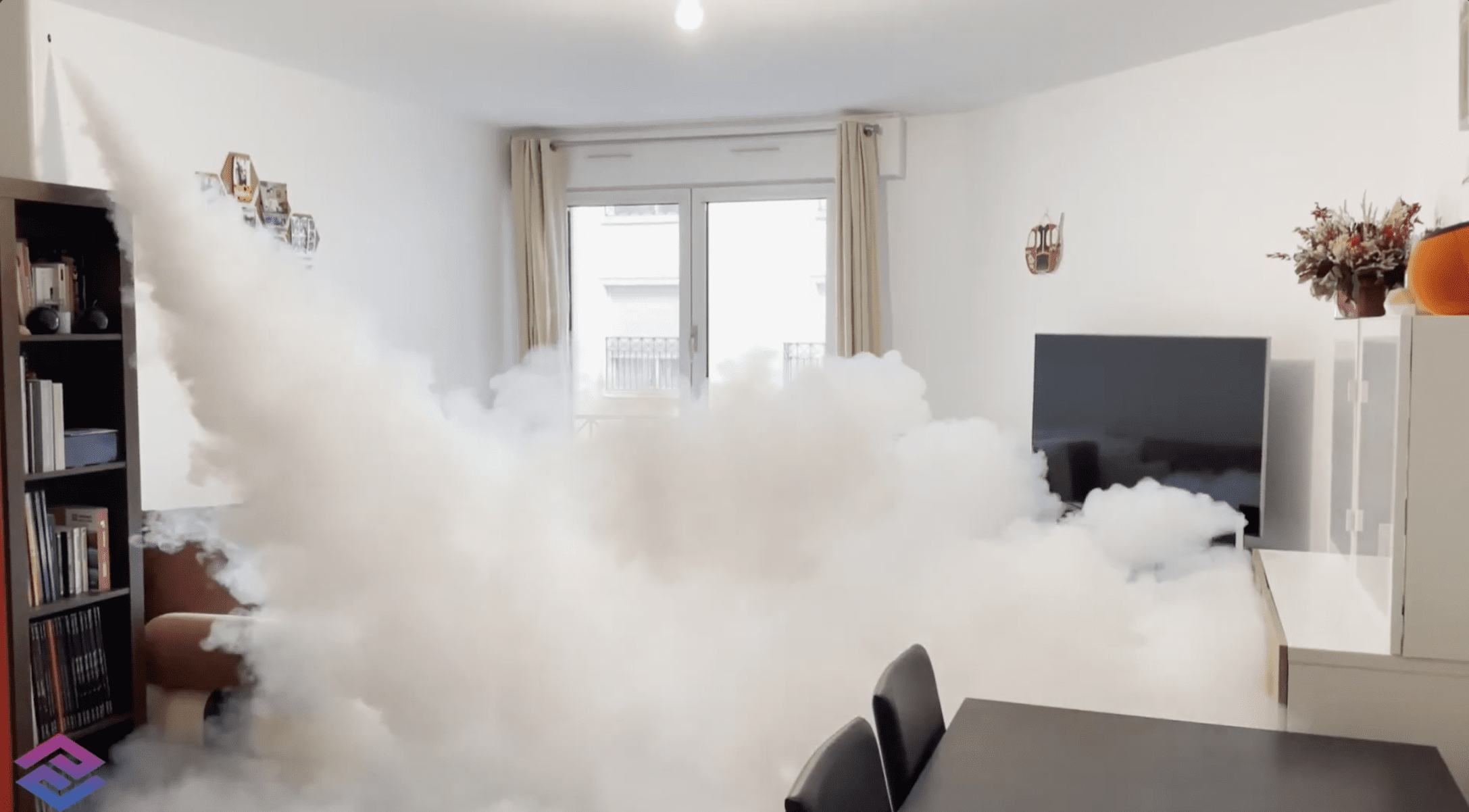
Votre générateur de brouillard Density vient de se déclencher. La pièce est saturée de brouillard blanc, l’alarme a sonné, les forces de l’ordre ont peut-être été alertées. Que faut-il faire dans les minutes, les heures, et les jours qui suivent ? Cette question, beaucoup de propriétaires ne se la posent qu’après coup. Voici la procédure complète, étape par étape.
The short answer: ne rentrez pas dans le local immédiatement, attendez la dissipation du brouillard, vérifiez les dommages éventuels avec les forces de l’ordre, puis recontactez votre installateur pour la remise en état du système.
Step 1: Do not enter the room until the mist has cleared
Le brouillard Density est non toxique et certifié inoffensif pour les humains et les animaux. Il n’y a pas de risque pour la santé. Mais la visibilité réduite à zéro peut créer des risques de chute ou de déplacement dangereux dans un local dont vous ne connaissez pas l’état exact après une intrusion.
The rule: Wait until the fog has cleared enough to allow for a minimum level of visibility. En pratique, le brouillard Density se dissipe naturellement en 20 à 40 minutes selon le volume de la pièce et la ventilation disponible. Vous pouvez accélérer ce processus en ouvrant portes et fenêtres depuis l’extérieur si c’est possible, ou en activant la ventilation mécanique du local.
Pour mieux comprendre le fonctionnement du système, consultez l’article How does an anti-intrusion fog generator work?
Étape 2 : sécuriser les lieux avec les forces de l’ordre
Si votre système est connecté à une centrale de télésurveillance, les forces de l’ordre ont normalement été alertées automatiquement. Attendez leur arrivée avant d’entrer dans le local. Ils constateront les dommages, sécuriseront la zone et rédigeront un rapport d’intervention — document indispensable pour votre démarche assurance.
Ne touchez à rien avant ce constat. Toute modification de la scène peut compliquer les procédures légales et réduire l’indemnisation assurance.
Étape 3 : vérifier l’absence de résidus ou dommages sur vos produits
The Density fog system is the only one on the market to have been awarded the FCMs certification authorising its use in the presence of foodstuffs. It leaves no residue, no build-up and no lingering odour on surfaces, furniture, fabrics or stored goods.
En pratique : après dissipation complète, vous pouvez reprendre l’exploitation normale de votre local sans nécessiter de nettoyage spécifique. Il n’y a pas de traitement des murs, des vitrines ou des produits à prévoir — contrairement aux fumigènes pyrotechniques qui laissent des traces et des dépôts sur toutes les surfaces.
En résumé : le brouillard Density n’engendre aucun surcoût de nettoyage ou de décontamination après déclenchement. C’est l’un de ses avantages majeurs par rapport aux systèmes fumigènes classiques.
Step 4: Check the charge level
After a discharge, some of the liquid refill has been used up. The Density refill is multi-purpose : selon le modèle et le temps de tir programmé, elle permet entre 3 et 12 déclenchements avant d’être épuisée.
Your installer or INNOV SÉCURITÉ can check the remaining charge level remotely via the Density cloud (on models fitted with an IP card). If the charge level is low or if the battery is more than three years old, it must be replaced. To find out more about the remote communication via the Density cloud.
Step 5: Test the system before putting it back into service
Once the battery has been checked or replaced, your installer will carry out a full functional test. On models fitted with the IP board (from the Density 1500), ce test peut être réalisé à distance via le cloud Density, sans déplacement physique d’un technicien.
This test covers:
- The level of the fog fluid
- L’état de la batterie de secours
- La connectivité avec la centrale d’alarme
- The correct operation of the trigger inputs (alarm, panic button, confirmation PIR)
Do not put your premises back into service without this approval.
What if it was triggered by accident?
Un déclenchement accidentel (fausse alarme, manipulation) suit la même procédure de remise en état. La seule différence : vous n’avez pas besoin d’attendre les forces de l’ordre si vous êtes certain de l’origine du déclenchement.
Ventilation du local, vérification du niveau de recharge, test de l’ensemble du système. Contact INNOV SÉCURITÉ pour signaler l’incident et obtenir un suivi du niveau de recharge.
Conclusion
Un déclenchement de générateur de brouillard Density suit une procédure simple en cinq étapes : sécurité immédiate (ne pas entrer), attente des forces de l’ordre, vérification des produits, contrôle de la recharge, et test de remise en service. Le brouillard ne laissant ni résidu ni dépôt, la remise en exploitation normale ne nécessite aucun nettoyage spécifique.
Contact INNOV SÉCURITÉ if you have any questions following a trigger.